FAQ Delta
Here you will find answers to common questions about Delta.
The bar click has stopped working/become unusually sluggish
If the stick click has stopped working or is behaving oddly, calibrating the stick may help.
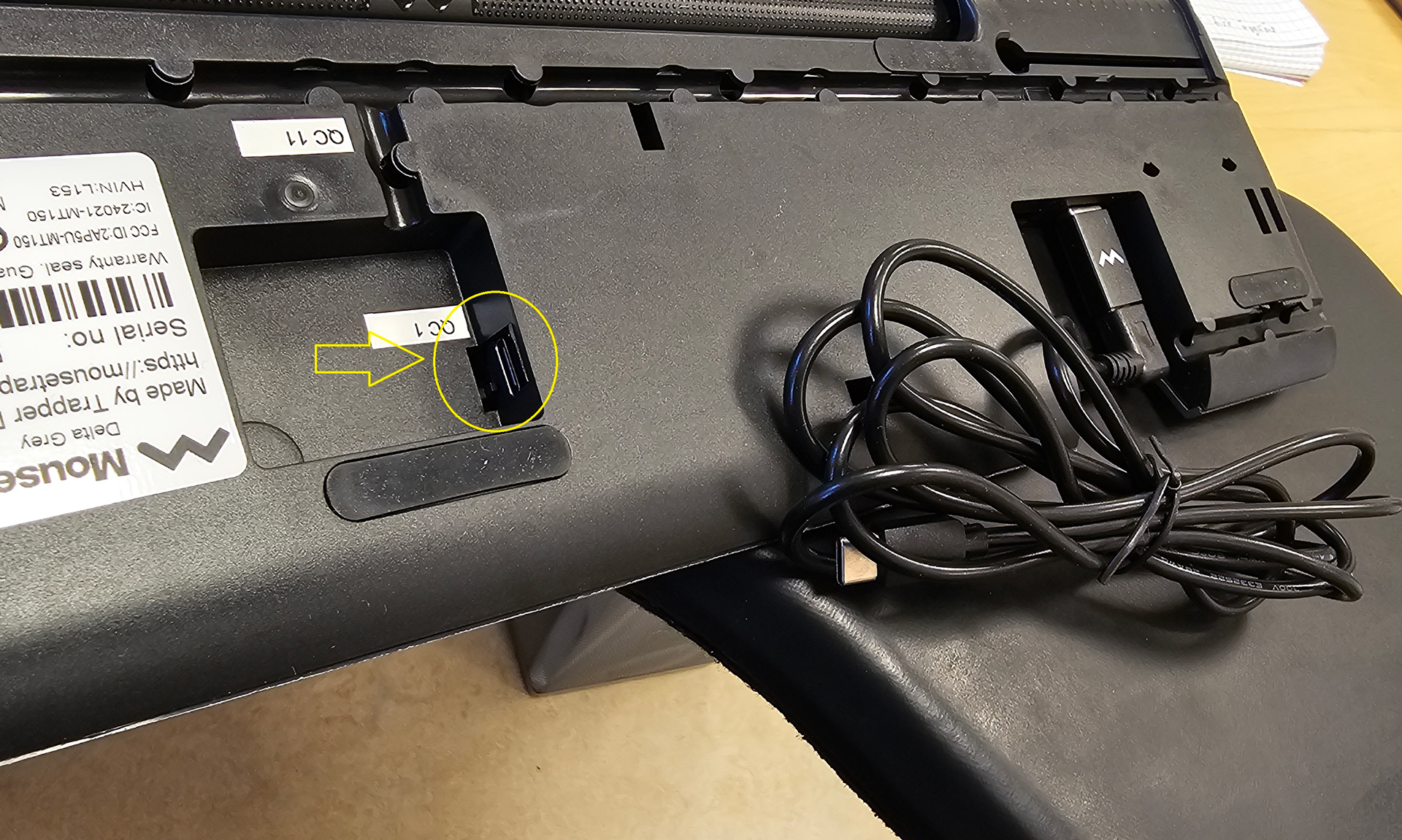
Under the palm rest, there is a small button (see image 1). Before calibrating, make sure the stick is centered on your Delta, using the image with the arrow as a reference (see image 2). Then press the small button until it flashes white.
Now the calibration is complete!
1.

2.

Some of Mousetrapper's buttons seem to lack function.
To check which functions are assigned to each button, use MT Keys.
How do I get my Mousetrapper Delta started? It shows no signs of life.
On the Mousetrapper Delta, there is a USB hub on the underside of the product that can be mistaken for the USB port where the cable to the computer should be connected. Use the recessed port located in the middle of the product (see image) for connecting to the computer.
The USB hub with two ports should only be used to connect, for example, a keyboard or another USB device.